
PEOPLE: Pop Culture & Puzzles
PEOPLE INC. GROUPNews & Magazines
4.4366.00 Reviews
- Version
- 3.1.0
- Installs
- 100.00K
- Age Rating
- Teen
Screenshots

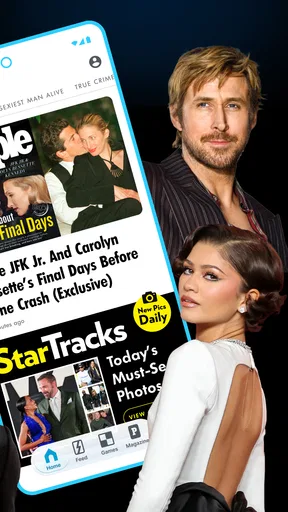
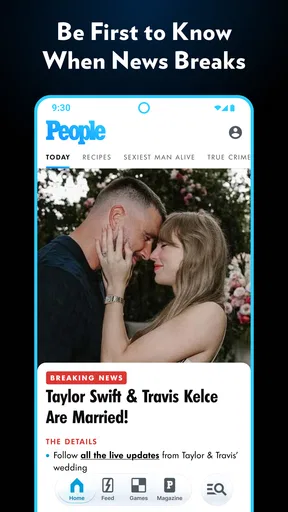
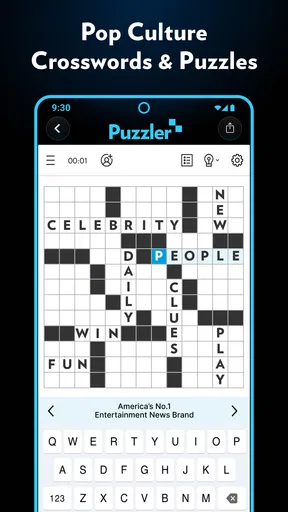

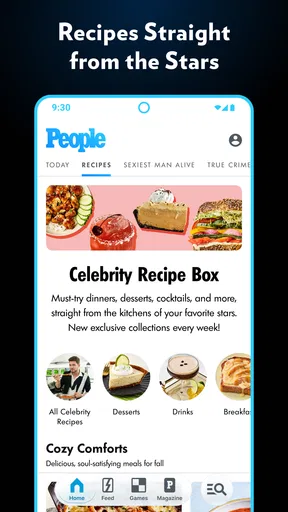

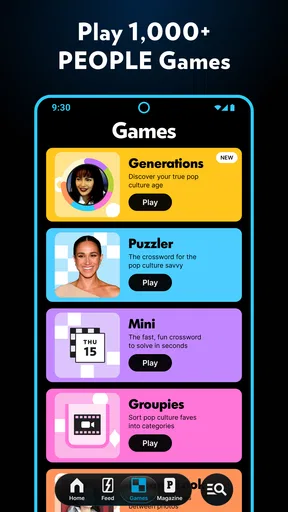
Our Review of PEOPLE: Pop Culture & Puzzles
 Analysis by Appyee
I installed PEOPLE: Pop Culture & Puzzles expecting a quick way to catch up on entertainment news, but I ended up using it in a more flexible way than a normal magazine app. It combines celebrity coverage, true crime stories, and daily games in one place, so it can suit a short solo break or a shared household device where different people want different kinds of content. The most important detail is that the experience is available without a paywall, which makes it easy to try without first deciding whether a subscription is worth it.
My overall impression is that this is best understood as a casual news-and-entertainment companion rather than a complete replacement for a serious news reader. It is made by PEOPLE INC. GROUP, sits in the News & Magazines category, and has a Teen content rating. That combination tells you quite a lot: the app is aimed at older children and adults who enjoy pop culture and real-world stories, but it is not something I would hand to a young child without checking what they are reading.
How it works on a shared household device
The strongest everyday use case is a phone or tablet that moves between people. I can imagine one person opening it during breakfast for celebrity updates, another checking the true crime section later, and someone else playing a daily puzzle while waiting for an appointment. Because the app brings these activities together, nobody needs to switch between a separate magazine app, a puzzle game, and a browser search for entertainment headlines.
That convenience also creates a small compromise. A shared device does not automatically mean a shared reading experience. Different household members may have different interests, and the app’s mixture of light puzzles and mature subject matter means that one person’s casual browsing can be unsuitable for another person. I would treat it as a shared-access app, not as a family-safe space by default.
In practice, I found the daily-game element useful because it gives the app a clear reason to revisit it even when I did not have time to read a full article. The games work well as a short pause rather than a dedicated gaming session. If you want deep progression, competitive systems, or a large collection of complex puzzles, this is probably not the right substitute for a specialist puzzle app. Its appeal comes from switching easily between reading and a quick mental diversion.
A realistic household routine would be to keep the app on a common tablet in the living room, with each person using it for a few minutes at a time. One user could browse pop culture during a coffee break, while another checks the daily puzzle in the evening. The useful boundary is simple: the device can be shared, but the content should still be chosen by the individual using it.
What the first session feels like
The first thing I noticed is that the app does not need a complicated explanation. Its purpose is immediately understandable: browse entertainment and true crime coverage, then take a break with a daily game. That low learning curve matters on a household device because not everyone wants to learn a new interface before getting value from it.
I would still spend a few minutes exploring the available sections rather than judging the app from the opening screen alone. The news side and the game side serve different moods. If I open it looking for a quick headline, I want to avoid getting drawn into a longer story. If I open it for a puzzle, I want to reach that activity without treating the news feed as a mandatory stop.
This is one of the app’s less obvious trade-offs: variety makes it more useful across a household, but it can also make the experience feel less focused than a dedicated service. A specialist celebrity-news app may feel more direct, and a standalone puzzle game may offer a richer game loop. PEOPLE: Pop Culture & Puzzles earns its place by combining both needs in one lightweight destination.
Setting boundaries before sharing it
There is no reason to assume that a Teen rating makes every story comfortable for every member of a household. True crime can involve disturbing subjects, and celebrity coverage can raise questions about privacy, relationships, or public behavior that younger readers may not be ready to process. I would introduce the app to a teenager through conversation rather than simply placing it on a shared screen and leaving the content to chance.
The practical boundary is to make clear that the app is for browsing together or independently with ordinary household expectations: younger users should ask when a story is upsetting or confusing, and adults should be willing to discuss what they have seen. I would not describe it as a children’s reading app. The age label is useful context, but it should not replace a parent’s judgment about an individual child.
Account boundaries matter too. I would avoid assuming that one person’s reading habits, saved material, or game activity should represent everyone in the home. If several people use the same device, a simple verbal agreement about who is using it and when can prevent confusion. This is especially relevant when one person wants entertainment headlines while another expects a quiet puzzle break.
Because the app is free, it is easier to test this arrangement without committing household money. That is a genuine advantage for shared use. A family can see whether the combination of content fits its routines before considering whether it deserves a permanent place on the device. Free access does not remove the need for attention to content, but it lowers the barrier to trying it.
Coordinating reading, games, and attention
The app works best when each person treats it as a short, self-contained visit. I found that helpful because the news and puzzle functions encourage different kinds of attention. A celebrity article may lead to another story, while a daily game gives a clearer stopping point. On a shared tablet, agreeing that a person gets one uninterrupted turn is more useful than expecting the app itself to manage the household schedule.
For a couple or group of roommates, the app can become an easy conversation starter. One person may discover a pop culture story and mention it later, while another may prefer the true crime material. I would be careful not to turn every headline into a fact-checking session, though. Entertainment reporting is something I read for context and interest, not as my only source for important real-world information.
That distinction is one of my main recommendations. For breaking events, public safety information, or subjects where accuracy has serious consequences, I would use a dedicated news source or an official source as well. This app is more naturally suited to celebrity news, magazine-style reading, true crime interest, and casual daily play. It adds breadth and convenience, but it should not become the household’s sole news reference.
There is also a useful coordination trick for people who dislike endless scrolling: decide what you came for before opening the app. If the goal is the daily puzzle, go directly to that activity and leave. If the goal is catching up on pop culture, read a small selection instead of treating the feed as an obligation. This keeps the app from taking over a shared device or a short break.
Trust, age, and the kind of content inside
The Teen rating is particularly relevant because the app combines light entertainment with true crime. Those subjects can attract very different audiences, and the same story may feel interesting to one person but uncomfortable to another. I would be comfortable recommending it to a teenager who already handles magazine-style celebrity coverage responsibly, provided an adult has considered the true crime angle.
I would be more cautious with a younger child, even if the child is mainly interested in the puzzles. The presence of a game does not change the nature of the surrounding app. A child who opens it for a quick challenge may encounter a headline or story aimed at a more mature audience. For that reason, I see the app as appropriate for supervised family introduction rather than an automatic choice for an unsupervised children’s device.
Trust also affects how I judge the news experience. Celebrity stories can be entertaining, but they are not always the kind of information that deserves an immediate emotional reaction. I prefer to read with a little distance, especially when an article discusses a person’s private life or a developing situation. The app is enjoyable when I treat it as magazine reading, not when I expect every item to carry the same weight as a carefully reported public-interest article.
That may sound like a limitation, but it is actually a useful way to place the app correctly. Its value is in giving me a convenient mix of topics and a reason to return. It is not in replacing every other source, every puzzle game, or every family conversation about online content.
Where it beats separate apps, and where it does not
Compared with a standard news reader, this app feels more specialized and more relaxed. A general news aggregator is usually better when I want politics, business, science, local reporting, and international coverage in one organized feed. PEOPLE: Pop Culture & Puzzles is a better fit when my interest is specifically entertainment, celebrity stories, true crime, and a quick game between articles.
Compared with a dedicated celebrity-news app, the daily puzzles give it more variety. I do not have to leave the app when I want something interactive. The trade-off is focus: someone who wants only celebrity headlines may find the game element unnecessary, while a committed puzzle player may find the daily activity too limited compared with a full puzzle platform.
Compared with a standalone true crime publication, the app offers a broader and less intense mix. That can be a benefit for casual readers who do not want every visit centered on crime stories. On the other hand, readers looking for deep case archives, investigative depth, or a highly specialized true crime experience may prefer a dedicated source.
The no-paywall approach is another meaningful difference for me. It makes the app easier to recommend to a friend who wants to browse before deciding whether it fits. At the same time, free access should not be confused with unlimited depth or a guarantee that every feature will satisfy a specialist audience. I judge it as a convenient general-interest app, and in that role it makes sense.
Performance, version, and practical expectations
The current version is 2.12.0, and the app requires iOS 11 or later. That minimum requirement makes it relevant to people who keep an older compatible device in the household, although I would still check the device’s available storage and general condition before choosing it as a shared media tablet. A common device can feel slow for reasons unrelated to one particular app, especially when several people use it for different tasks.
I would also remember that news apps depend on an internet connection for fresh material, even though I would not treat this as a reason to dismiss the product. The practical question is whether the app fits the moments when you normally have access to the internet: at home, during a commute, or while waiting somewhere. The daily-game concept is appealing for short sessions, but I would not plan a whole offline entertainment routine around it.
Another realistic limitation is attention management. The combination of headlines and games is deliberately easy to dip into, but it can also encourage one more article or one more check. On a personal phone, that is a matter of self-control. On a shared device, it can become a scheduling issue. I recommend setting a natural stopping point before opening it, particularly when several people are waiting to use the tablet.
The app has an average rating of 4.6 from around one thousand ratings, with roughly three hundred written reviews, and it has passed one hundred thousand installs. Those figures suggest that it has found an audience, but they do not tell me whether it will suit a household with mixed ages or interests. My own decision would depend more on the content mix and the way the device is shared than on popularity alone.
Who should install it, and who should skip it
I would recommend it to someone who enjoys celebrity news but does not want a purely single-purpose app. It is also a good candidate for a shared household device when different people want short, low-commitment activities. The free price makes experimentation straightforward, and the daily games give the app a practical role beyond reading headlines.
I would suggest caution for anyone seeking a serious all-purpose news service. The entertainment focus is a feature, not a flaw, but it means the app should sit beside a broader news source rather than replace one. I would also steer committed puzzle fans toward a dedicated puzzle app if they want extensive variety, long-term progression, or more demanding challenges.
Families should decide based on maturity, not just the presence of games. The Teen rating and true crime coverage make it a better fit for older users than for young children. If adults in the home are comfortable discussing what appears on the screen and setting ordinary sharing rules, it can work well. If the household needs tightly controlled child content, I would choose a more clearly child-focused option instead.
My household verdict
After using it as both a reading app and a quick game stop, I see PEOPLE: Pop Culture & Puzzles as a convenient middle ground. It is more varied than a standard celebrity feed, lighter than a dedicated true crime service, and more immediately useful than a magazine app that offers no interactive break. Its best quality is the way it supports different short visits without asking the household to install several separate apps.
Its weaknesses are equally clear. The content mix requires age awareness, the entertainment focus limits its value as a complete news source, and the puzzle side will not satisfy people who want a full gaming platform. Shared-device users also need to establish their own boundaries because convenience does not automatically create separate experiences for every person.
For me, the final recommendation is positive with those conditions attached. If your home wants free access to pop culture and true crime reading, plus a daily game that can fill a few spare minutes, this is an easy app to try. I would keep it on a shared device only when the adults and older users understand the content, agree on turn-taking, and remember that the app is a casual entertainment companion, not the household’s complete news or child-safety solution.
Released on Jun 25, 2025, it is still a relatively recent addition to the category, but its purpose is already easy to grasp. I would install it for a teenager or adult who likes PEOPLE-style entertainment coverage and wants a little more variety than headlines alone. I would skip it for a young child, a serious news researcher, or a puzzle enthusiast looking for depth. For the right household, though, the combination is practical, approachable, and genuinely easy to share.
Privacy and Permissions
See what permissions an app requests and how it handles your data.
- Location
- approximate location (network-based)
- Photos/Media/Files
- read the contents of your USB storage, modify or delete the contents of your USB storage
- Storage
- read the contents of your USB storage, modify or delete the contents of your USB storage
- Wi-Fi connection information
- view Wi-Fi connections
- Other
- view network connections, full network access, control vibration, prevent device from sleeping, Google Play license check
Verdict
Strengths of PEOPLE: Pop Culture & Puzzles
- Covers a wide range of celebrity and entertainment trivia.
- Quick puzzle rounds make it easy to play in short sessions.
- Helpful clues can make difficult questions more approachable.
- Bright visuals and pop-culture themes keep the experience engaging.
- Regular content can appeal to fans of current celebrities and trends.
Limitations of PEOPLE: Pop Culture & Puzzles
- Some answers may feel outdated as pop-culture trends change quickly.
- Niche questions can be difficult without strong celebrity knowledge.
- Clues and extra attempts may be limited during longer sessions.
- Progress can feel repetitive if you play several rounds at once.
- The game may appeal less to users uninterested in celebrity culture.
Similar Picks in This Category
View All
Google News - Daily Headlines
Google LLC4.0

X
X Corp.4.8

Flipboard:Your Social Magazine
Flipboard3.4

Opera News: breaking & local
Opera4.5

Hindi News by Dainik Bhaskar
Dainik Bhaskar Group4.0

Way2News Daily News App
Way2News ( Formerly Way2SMS )4.6
Frequently Asked Questions
What is PEOPLE: Pop Culture & Puzzles?
PEOPLE: Pop Culture & Puzzles is a casual mobile game inspired by the entertainment coverage of PEOPLE magazine. It combines crossword-style puzzles and trivia with questions about celebrities, television, movies, music, fashion, and current pop-culture moments. The game is designed for short play sessions, although players who enjoy completing challenges and improving their scores may spend considerably longer exploring its available puzzle content.
How does the gameplay work in PEOPLE: Pop Culture & Puzzles?
The main experience revolves around solving word puzzles and answering pop-culture questions. You generally use clues to fill in answers, test your knowledge, and work through progressively challenging content. Some puzzles may feature familiar celebrities or entertainment topics, while others require broader general knowledge. The controls are simple and touch-friendly, making the game accessible even if you do not regularly play mobile puzzle games.
Is PEOPLE: Pop Culture & Puzzles free to download and play?
The app can generally be downloaded without an upfront purchase, but free access may include advertising, optional in-app purchases, or limits on certain features and puzzle progression. Before downloading, it is worth checking the current store listing for the exact pricing model, available subscription options, and purchase details. If children use the app, parental controls are recommended so accidental purchases can be avoided.
Does PEOPLE: Pop Culture & Puzzles require an internet connection?
An internet connection may be needed for downloading the app, receiving new puzzle content, displaying advertisements, synchronizing progress, or accessing certain online features. Basic gameplay availability can vary depending on the version and the developer’s current requirements, so it should not be assumed that every puzzle works offline. If you plan to play while traveling, test the app in offline mode before relying on it without mobile data or Wi-Fi.
Who will enjoy PEOPLE: Pop Culture & Puzzles?
This game is best suited to players who enjoy relaxed word games and keeping up with celebrity news, entertainment, television, movies, music, and lifestyle trends. It is a particularly good fit for PEOPLE readers and fans who recognize popular names and cultural references. However, some answers may become difficult if you do not follow pop culture closely, and the relevance of questions can depend on how current the game’s content is.
